미리 구현된 Character 클래스 대신, Pawn에서부터 직접 컴포넌트를 구성하고, 최신 Enhanced Input 시스템을 통해 입력 데이터를 처리하며, 캐릭터가 월드를 자유롭게 누비는 로직을 직접 설계.

Pawn 클래스 3D 캐릭터 만들기
프로젝트 링크
Github (Public): https://github.com/devcol-main/BC_Ch3_Assignment_4
GitHub - devcol-main/BC_Ch3_Assignment_4
Contribute to devcol-main/BC_Ch3_Assignment_4 development by creating an account on GitHub.
github.com
Google Drive (Share as Commenter) : https://drive.google.com/drive/folders/1_oS7Ye7cIGjDeKh576aLIErvQf6auTvm?usp=sharing
BC_Ch3_Assignment_4 - Google Drive
파일을 여기에 드래그 앤 드롭하거나 '신규' 버튼을 사용하세요.
drive.google.com
YouTube: https://youtu.be/r0LRk7ACkAY
이 프로젝트를 위한 준비 단계
1. [Unreal Engine/UE 기초] - Character 클래스 구현 | [언리얼 엔진 C++ (Unreal Engine C++)]
Character 클래스 구현 | [언리얼 엔진 C++ (Unreal Engine C++)]
Character 클래스 구현 Pawn과 Character Class 정의 1️⃣ Pawn 클래스란?Pawn은 플레이어 혹은 AI가 “소유( Possess )”할 수 있는 가장 상위 클래스입니다. 즉, 엔진에서 “무언가를 조종한다”라고 할 때
devcol.tistory.com
2. [Unreal Engine/UE 기초] - Enhanced Input System 입력 매핑 구현하기 | [언리얼 엔진 C++ (Unreal Engine C++)]
Enhanced Input System 입력 매핑 구현하기 | [언리얼 엔진 C++ (Unreal Engine C++)]
Enhanced Input System 입력 매핑 구현하기 PlayerController, IMC, IA PlayerController 이해하기 1️⃣ PlayerController란?PlayerController는 사용자가 키보드, 마우스, 게임패드 등에서 입력을 받으면, 그 입력을 해석하
devcol.tistory.com
3. [Unreal Engine/UE 기초] - 캐릭터 동작 구현과 입력 처리 | [언리얼 엔진 C++ (Unreal Engine C++)]
캐릭터 동작 구현과 입력 처리 | [언리얼 엔진 C++ (Unreal Engine C++)]
캐릭터 동작 구현과 입력 처리 캐릭터 동작 구현과 입력 처리 관련 이전에 한 것들 GameMode Class 가 관리하고 있는 것: Character Class, Player ControllerCharacter Class 가 월드에 스폰 되도록Player Controller: 사
devcol.tistory.com
4. [Unreal Engine/UE 기초] - 캐릭터 애니메이션 적용 | [언리얼 엔진 C++ (Unreal Engine C++)]
캐릭터 애니메이션 적용 | [언리얼 엔진 C++ (Unreal Engine C++)]
캐릭터 애니메이션 적용 애니메이션 블루프린트 이해하기 1️⃣ 애니메이션 블루프린트 (Anim Blueprint)란?애니메이션 블루프린트는 언리얼 엔진에서 캐릭터의 골격(스켈레톤) 기반 애니메이션을
devcol.tistory.com
필수 구현 기능
C++ Pawn 클래스 및 컴포넌트 구성
- [x] Pawn 클래스 생성: Pawn을 상속받는 새로운 C++ 클래스를 생성합니다.
- [x] 컴포넌트 추가: 아래 컴포넌트들을 Pawn 클래스에 추가합니다.
- CapsuleComponent (또는 Box/Sphere 중 택 1)
- SkeletalMeshComponent
- SpringArmComponent
- CameraComponent
- [x] 계층 구조 설정: 충돌 컴포넌트를 RootComponent로 설정하고, 나머지 컴포넌트들을 부착합니다.
- [x] DefaultPawn 설정: GameMode 클래스에서 DefaultPawnClass를 본인이 만든 Pawn으로 지정합니다.
- [x] Physics 설정: 루트 충돌체 및 Mesh의 Simulate Physics를 false로 설정합니다. (물리 대신 코드로 직접 제어)
Enhanced Input 매핑 & 바인딩
- [x] 입력 액션(IA) 생성: 아래 두 가지 액션을 생성합니다. (타입: Vector2D)
- IA_Move (WASD 이동용)
- IA_Look (마우스 회전용)
- [x] IMC 매핑: 생성한 액션들을 Input Mapping Context에 등록하고 키를 할당합니다.
- [x] 액션 바인딩: SetupPlayerInputComponent()에서 입력 처리 함수와 액션들을 바인딩합니다.
이동 및 회전 로직 구현
- [x] 프레임 독립성: DeltaTime을 사용하여 프레임 속도와 관계없이 일정한 속도로 움직이도록 구현합니다.
- [x] 이동 구현: AddActorLocalOffset() 등을 활용해 WASD 입력에 따라 Pawn이 움직이도록 작성합니다.
- 이동 방향은 Pawn의 Forward/Right 벡터를 기준으로 결정됩니다.
- [x] 회전 구현: AddActorLocalRotation() 등을 활용해 마우스 입력에 따라 회전하도록 작성합니다.
- 마우스 입력값으로 Yaw와 Pitch를 직접 계산하여 구현합니다.
- ⚠️ 주의: AddControllerYawInput(), AddControllerPitchInput() 등 엔진 기본 제공 함수는 사용하지 않습니다.
- [x] 제한 사항: 평면 상에서의 이동과 회전만 처리하며, 중력이나 낙하 효과는 고려하지 않습니다.
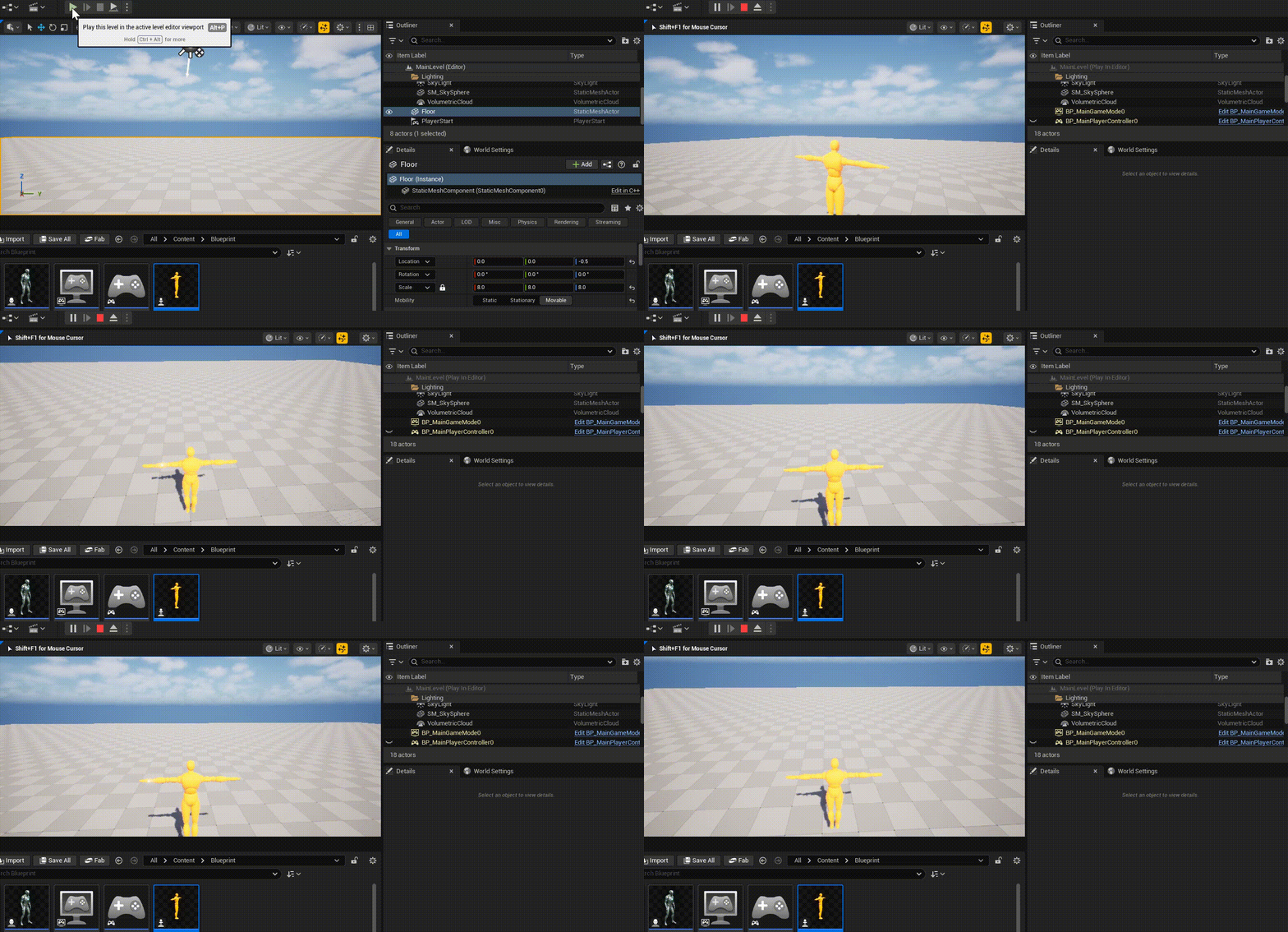
도전 구현 기능
6자유도(6 DOF) 비행체 구현
- [x] 6축 액션 구현: 아래 방향에 대한 이동 및 회전을 모두 구현합니다.
- [x] 이동: 전/후(W, S), 좌/우(A, D), 상/하(Space, Shift)
- [x] 회전: Yaw(마우스 X), Pitch(마우스 Y), Roll(마우스 휠 또는 별도 키)
- [x] Local 기반 이동: 단순 월드 좌표 이동이 아닌, Pawn의 현재 회전 상태(로컬 좌표계)를 기준으로 이동 방향이 결정되도록 구현합니다.
중력 및 낙하 시스템 구현
- [x] 인공 중력: Tick() 함수에서 매 프레임 중력 가속도를 직접 계산하여 적용합니다. (예: -980 cm/s²)
- [x] 지면 충돌 감지: LineTrace 또는 SweepTrace를 사용하여 지면과의 충돌을 체크합니다.
- [x] 상태 초기화: 지면에 착지하는 순간 Z축 낙하 속도를 0으로 초기화합니다.
에어 컨트롤(Air Control) 구현
- [x] 이동 속도 제한: 공중에 떠 있는 상태에서는 지상 이동 속도의 30~50% 수준으로 제한합니다.
- [x] 상태별 로직 분기: 지상 상태와 공중 상태를 구분하여 각각 자연스러운 움직임이 나타나도록 구현합니다.
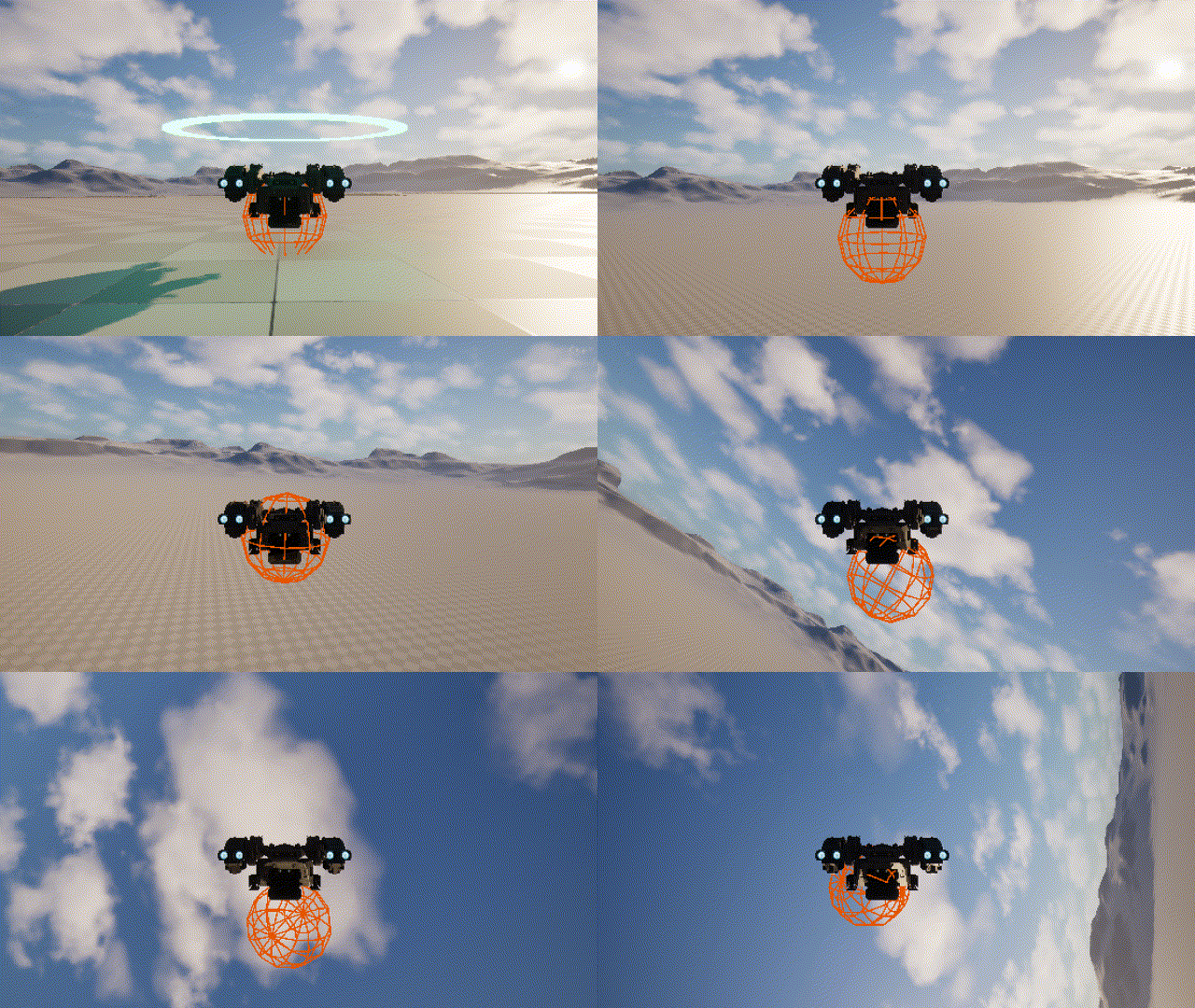
캐릭터관련 전체 코드
.h
#pragma once

#include "CoreMinimal.h"
#include "GameFramework/Pawn.h"
#include "AircraftPawnBaseCharacter.generated.h"


class UCapsuleComponent;
class UStaticMeshComponent;
class USpringArmComponent;
class UCameraComponent;
class UInputMappingContext;
class UInputAction;

struct FInputActionValue;

UCLASS()
class BC_CH3_ASSIGNMENT_4_API AAircraftPawnBaseCharacter : public APawn
{
    GENERATED_BODY()

public:
    // Sets default values for this pawn's properties
    AAircraftPawnBaseCharacter();

protected:


    // Called when the game starts or when spawned
    virtual void BeginPlay() override;

public:
    // Called every frame
    virtual void Tick(float DeltaTime) override;

    // Called to bind functionality to input
    virtual void SetupPlayerInputComponent(class UInputComponent* PlayerInputComponent) override;

protected:

    //UPROPERTY(EditAnywhere, BlueprintReadWrite, Category = "Character")
    //TObjectPtr<USceneComponent> SceneRoot = nullptr;

    UPROPERTY(EditAnywhere, BlueprintReadWrite, Category = "Character")
    TObjectPtr<UCapsuleComponent> CapsuleComp = nullptr;

    UPROPERTY(EditAnywhere, BlueprintReadWrite, Category="Character")
    UStaticMeshComponent* StaticMeshComponent = nullptr;

    UPROPERTY(EditAnywhere, BlueprintReadWrite, Category="Character")
    UStaticMeshComponent* StaticMeshComponent_Ground = nullptr;


    // Camera
    UPROPERTY(EditAnywhere, BlueprintReadWrite, Category = "Camera")
    USpringArmComponent* SpringArmComp = nullptr;

    UPROPERTY(EditAnywhere, BlueprintReadWrite, Category = "Camera")
    UCameraComponent* CameraComp = nullptr;


    //
    UPROPERTY(EditAnywhere, BlueprintReadWrite, Category="Input")
    UInputMappingContext* InputMappingContext;

    UPROPERTY(EditAnywhere, BlueprintReadWrite, Category="Input")
    UInputAction* MoveAction;
    UPROPERTY(EditAnywhere, BlueprintReadWrite, Category="Input")
    UInputAction* LookAction;

    //
    //Ground Check
    UPROPERTY(EditAnywhere, Category = "GroundCheck")
    float GroundCheckDistance = 10.0f;
    UPROPERTY(EditAnywhere, Category = "GroundCheck")
    float GroundCheckRadius = 30.0f;
    UPROPERTY(VisibleAnywhere, Category = "GroundCheck")
    bool bIsGrounded = false;

    //

    //FVector2D CurrentMoveInput;
    FVector CurrentMoveInput;
    FVector CurrentLookInput;

    //
    UPROPERTY(EditAnywhere, BlueprintReadWrite, Category = "Environment")
    float Gravity = -980.0f;

    UPROPERTY(EditAnywhere, BlueprintReadWrite, Category = "Environment")
    float UpMultiplier = 10.0f;

    UPROPERTY(EditAnywhere, BlueprintReadWrite, Category = "Control")
    float NormalMoveSpeed;

    UPROPERTY(EditAnywhere, BlueprintReadWrite, Category = "Control")
    float AirMoveSpeed = 0.5f;


    UPROPERTY(EditAnywhere, BlueprintReadWrite, Category = "Control")
    float LookSpeed;

    void Move(const FInputActionValue& Value);
    void StopMove(const FInputActionValue& Value);
    void Look(const FInputActionValue& Value);
    void StopLook(const FInputActionValue& Value);

    UFUNCTION(BlueprintCallable)
    bool CheckGrounded();
private:
    void InitialSetup();
};
.cpp
#include "AircraftPawnBaseCharacter.h"

#include "Components/CapsuleComponent.h"
#include "Components/StaticMeshComponent.h"

#include "EnhancedInputSubsystems.h"
#include "EnhancedInputComponent.h"

#include "Camera/CameraComponent.h"
#include "GameFramework/SpringArmComponent.h"

#include "DrawDebugHelpers.h"

// Sets default values
AAircraftPawnBaseCharacter::AAircraftPawnBaseCharacter()
{
	InitialSetup();

}

void AAircraftPawnBaseCharacter::InitialSetup()
{

	// Set this pawn to call Tick() every frame.  You can turn this off to improve performance if you don't need it.
	PrimaryActorTick.bCanEverTick = true;

	//
	CapsuleComp = CreateDefaultSubobject<UCapsuleComponent>(TEXT("CapsuleComp"));
	SetRootComponent(CapsuleComp);

	StaticMeshComponent = CreateDefaultSubobject<UStaticMeshComponent>(TEXT("StaticMeshComponent"));
	StaticMeshComponent->SetupAttachment(CapsuleComp);
	//
	SpringArmComp = CreateDefaultSubobject<USpringArmComponent>(TEXT("SpringArm"));
	SpringArmComp->SetupAttachment(RootComponent);

	CameraComp = CreateDefaultSubobject<UCameraComponent>(TEXT("Camera"));
	CameraComp->SetupAttachment(SpringArmComp, USpringArmComponent::SocketName);

	//
	StaticMeshComponent_Ground = CreateDefaultSubobject<UStaticMeshComponent>(TEXT("StaticMeshComponent_Ground"));
	StaticMeshComponent_Ground->SetupAttachment(RootComponent);

	//
	// Physics Setting
	CapsuleComp->SetSimulatePhysics(false);
	StaticMeshComponent->SetSimulatePhysics(false);

	// Set Variable
	NormalMoveSpeed = 1000.0f;
	LookSpeed = 100.0f;


	StaticMeshComponent_Ground->SetVisibility(true);
}

// Called when the game starts or when spawned
void AAircraftPawnBaseCharacter::BeginPlay()
{
	Super::BeginPlay();

	APlayerController* PlayerController = Cast<APlayerController>(GetController());
	if (PlayerController)
	{
		ULocalPlayer* LocalPlayer = PlayerController->GetLocalPlayer();

		if (LocalPlayer)
		{
			// Local Player에서 EnhancedInputLocalPlayerSubsystem을 획득
			// UEnhancedInputLocalPlayerSubsystem: 입력 시스템을 관리 (IMC 추가 혹은 삭제하는 역할)
			UEnhancedInputLocalPlayerSubsystem* Subsystem =
				LocalPlayer->GetSubsystem<UEnhancedInputLocalPlayerSubsystem>();

			if (Subsystem && InputMappingContext)
			{
				// Subsystem을 통해 우리가 할당한 IMC를 활성화
				// 우선순위(Priority)는 0이 가장 높은 우선순위
				Subsystem->AddMappingContext(InputMappingContext, 0);
			}
		}
	}
}

// Called every frame
void AAircraftPawnBaseCharacter::Tick(float DeltaTime)
{
	Super::Tick(DeltaTime);

	const bool bHasLookInput =
		!FMath::IsNearlyZero(CurrentLookInput.X) ||
	!FMath::IsNearlyZero(CurrentLookInput.Y) ||
	!FMath::IsNearlyZero(CurrentLookInput.Z);

	const bool bHasMoveInput =
	!FMath::IsNearlyZero(CurrentMoveInput.X) ||
	!FMath::IsNearlyZero(CurrentMoveInput.Y) ||
		!FMath::IsNearlyZero(CurrentMoveInput.Z);


	bIsGrounded = CheckGrounded();

	if (!bIsGrounded)
	{
		if (GEngine)
		{
			GEngine->AddOnScreenDebugMessage(
					-1, 0.5f, FColor::Green,
					TEXT("AIR"));
		}

		AddActorWorldOffset(FVector(0.0f, 0.0f, Gravity) * DeltaTime, true);

		if (bHasMoveInput)
		{
			const FVector LocalMoveOffset =
				FVector(CurrentMoveInput.X, CurrentMoveInput.Y,
					CurrentMoveInput.Z * UpMultiplier)
				* NormalMoveSpeed * AirMoveSpeed
				* DeltaTime;

			AddActorLocalOffset(LocalMoveOffset);

		}
	}
	else
	{

		if (GEngine)
		{
			GEngine->AddOnScreenDebugMessage(
					-1, 0.5f, FColor::Blue,
					TEXT("GROUND"));
		}

		AddActorWorldOffset(FVector(0));

		if (bHasMoveInput)
		{
			FVector LocalMoveOffset =
				FVector(CurrentMoveInput.X, CurrentMoveInput.Y,
					CurrentMoveInput.Z * UpMultiplier)
				* NormalMoveSpeed
				* DeltaTime;

			LocalMoveOffset.Z = FMath::Max(LocalMoveOffset.Z, 0.0f);

			AddActorLocalOffset(LocalMoveOffset);

		}
	}

	// loock
	if (bHasLookInput)
	{

		FRotator SpringArmRot = SpringArmComp->GetRelativeRotation();

		SpringArmRot.Pitch += CurrentLookInput.Y * LookSpeed * DeltaTime;
		SpringArmRot.Yaw += CurrentLookInput.X * LookSpeed * DeltaTime;
		SpringArmRot.Roll += CurrentLookInput.Z * (LookSpeed* 2.0f) * DeltaTime;

		SpringArmRot.Pitch = FMath::Clamp(SpringArmRot.Pitch, -60.0f, 30.0f);
		SpringArmRot.Yaw = FMath::Clamp(SpringArmRot.Yaw, -60.0f, 60.0f);

		//SpringArmComp->SetRelativeRotation(SpringArmRot);
		AddActorLocalRotation(SpringArmRot);


	}
}

// Called to bind functionality to input
void AAircraftPawnBaseCharacter::SetupPlayerInputComponent(UInputComponent* PlayerInputComponent)
{
	Super::SetupPlayerInputComponent(PlayerInputComponent);

	UEnhancedInputComponent* EnhancedInputComponent =
Cast<UEnhancedInputComponent>(PlayerInputComponent);


	if (EnhancedInputComponent)
	{
		if (MoveAction)
		{
			EnhancedInputComponent->BindAction(
				MoveAction,
				ETriggerEvent::Triggered,
				this,
				&AAircraftPawnBaseCharacter::Move
			);

			EnhancedInputComponent->BindAction(
				MoveAction,
				ETriggerEvent::Completed,
				this,
				&AAircraftPawnBaseCharacter::StopMove
			);
		}


		if (LookAction)
		{
			EnhancedInputComponent->BindAction(
				LookAction,
				ETriggerEvent::Triggered,
				this,
				&AAircraftPawnBaseCharacter::Look
			);

			EnhancedInputComponent->BindAction(
				LookAction,
				ETriggerEvent::Completed,
				this,
				&AAircraftPawnBaseCharacter::StopLook
			);


		}
	}

}


void AAircraftPawnBaseCharacter::Move(const FInputActionValue& Value)
{
	if (!Controller) return;

	//CurrentMoveInput = Value.Get<FVector2D>();
	CurrentMoveInput = Value.Get<FVector>();

}

void AAircraftPawnBaseCharacter::StopMove(const FInputActionValue& Value)
{
	CurrentMoveInput = FVector::ZeroVector;
}

void AAircraftPawnBaseCharacter::StopLook(const FInputActionValue& Value)
{
	CurrentLookInput = FVector::ZeroVector;
}

void AAircraftPawnBaseCharacter::Look(const FInputActionValue& Value)
{
	CurrentLookInput = Value.Get<FVector>();

}


bool AAircraftPawnBaseCharacter::CheckGrounded()
{

	FVector StartLocation = GetActorLocation();
	FVector DownVector = -GetActorUpVector();

	float TraceDistance = 50.f;
	FVector EndLocation = StartLocation + (DownVector * TraceDistance);

	float CollisionRadius = 40.f;
	FCollisionShape SphereShape = FCollisionShape::MakeSphere(CollisionRadius);


	FHitResult HitResult;
	FCollisionQueryParams QueryParams;
	QueryParams.AddIgnoredActor(this);

	bool bHit = GetWorld()->SweepSingleByChannel(
		HitResult,
		StartLocation,
		EndLocation,
		FQuat::Identity,
		ECC_Visibility,
		SphereShape,
		QueryParams
	);

	// [선택 사항] 에디터에서 충돌 영역을 눈으로 확인하고 싶을 때 사용
	DrawDebugSphere(GetWorld(), EndLocation, CollisionRadius, 12, FColor::Orange, false, -1.f);

	StaticMeshComponent_Ground->SetVisibility(bHit);

	return bHit;
}
디버깅
[Unreal Engine/Debugging] - [Debugging] Pawn 클래스 3D 캐릭터 만들기| [언리얼 엔진 C++ (Unreal Engine C++)]
[Debugging] Pawn 클래스 3D 캐릭터 만들기| [언리얼 엔진 C++ (Unreal Engine C++)]
Debugging Log - [B.C. Ch3 Assignment4] Pawn 클래스 3D 캐릭터 만들기 코드에서 EnhancedInputComponent 는 들어와 지는데, MoveAction 는 false 가 계속 나오는 상황. ```cppvoid APawnBaseCharacter::SetupPlayerInputComponent(UInputCompo
devcol.tistory.com
추천
[Unreal Engine/UE 기초] - Character 클래스 구현 | [언리얼 엔진 C++ (Unreal Engine C++)]
Character 클래스 구현 | [언리얼 엔진 C++ (Unreal Engine C++)]
Character 클래스 구현 Pawn과 Character Class 정의 1️⃣ Pawn 클래스란?Pawn은 플레이어 혹은 AI가 “소유( Possess )”할 수 있는 가장 상위 클래스입니다. 즉, 엔진에서 “무언가를 조종한다”라고 할 때
devcol.tistory.com
[Unreal Engine/UE 기초] - Enhanced Input System 입력 매핑 구현하기 | [언리얼 엔진 C++ (Unreal Engine C++)]
Enhanced Input System 입력 매핑 구현하기 | [언리얼 엔진 C++ (Unreal Engine C++)]
Enhanced Input System 입력 매핑 구현하기 PlayerController, IMC, IA PlayerController 이해하기 1️⃣ PlayerController란?PlayerController는 사용자가 키보드, 마우스, 게임패드 등에서 입력을 받으면, 그 입력을 해석하
devcol.tistory.com
[Unreal Engine/UE 기초] - 캐릭터 동작 구현과 입력 처리 | [언리얼 엔진 C++ (Unreal Engine C++)]
캐릭터 동작 구현과 입력 처리 | [언리얼 엔진 C++ (Unreal Engine C++)]
캐릭터 동작 구현과 입력 처리 캐릭터 동작 구현과 입력 처리 관련 이전에 한 것들 GameMode Class 가 관리하고 있는 것: Character Class, Player ControllerCharacter Class 가 월드에 스폰 되도록Player Controller: 사
devcol.tistory.com
[Unreal Engine/UE 기초] - 캐릭터 애니메이션 적용 | [언리얼 엔진 C++ (Unreal Engine C++)]
캐릭터 애니메이션 적용 | [언리얼 엔진 C++ (Unreal Engine C++)]
캐릭터 애니메이션 적용 애니메이션 블루프린트 이해하기 1️⃣ 애니메이션 블루프린트 (Anim Blueprint)란?애니메이션 블루프린트는 언리얼 엔진에서 캐릭터의 골격(스켈레톤) 기반 애니메이션을
devcol.tistory.com
[Unreal Engine/Debugging] - [Debugging] Pawn 클래스 3D 캐릭터 만들기| [언리얼 엔진 C++ (Unreal Engine C++)]
[Debugging] Pawn 클래스 3D 캐릭터 만들기| [언리얼 엔진 C++ (Unreal Engine C++)]
Debugging Log - [B.C. Ch3 Assignment4] Pawn 클래스 3D 캐릭터 만들기 코드에서 EnhancedInputComponent 는 들어와 지는데, MoveAction 는 false 가 계속 나오는 상황. ```cppvoid APawnBaseCharacter::SetupPlayerInputComponent(UInputCompo
devcol.tistory.com
[페이지] Unreal Engine | 언리얼 엔진